
"Mark Work Done" - Live Action Description
Money time!
Work is done? Perfect!
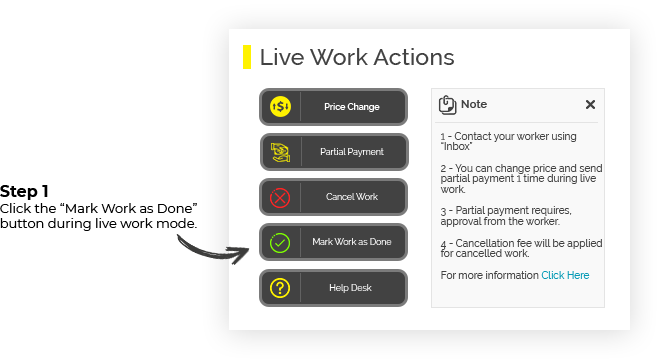
Work provider:
--------------------------
1.Once you press the "Mark Work as Done" button, you will be greeted with the WRK confirmation popup, and you will need to do the following:
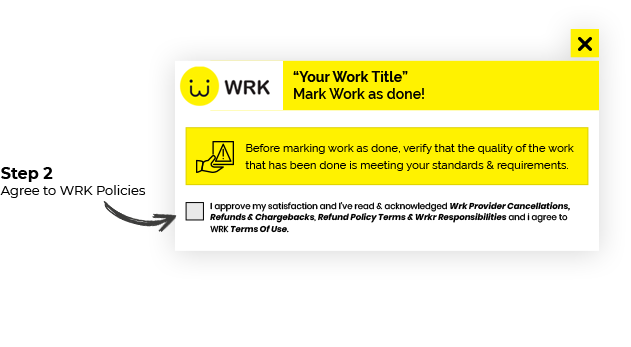
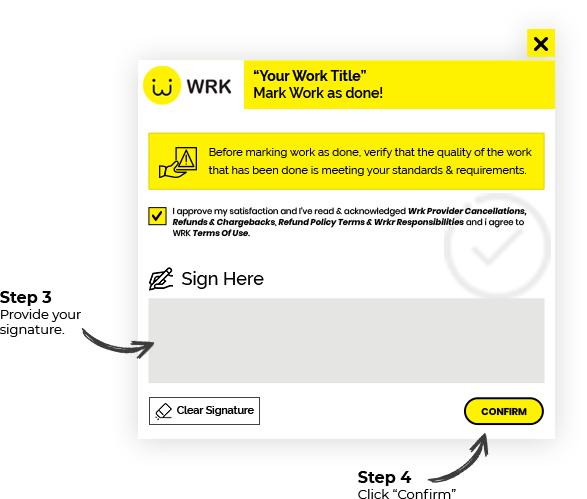
From that moment, the funds for the work will be transferred to the worker account, under Stripe processing times.
When worker marks the work offer as done:
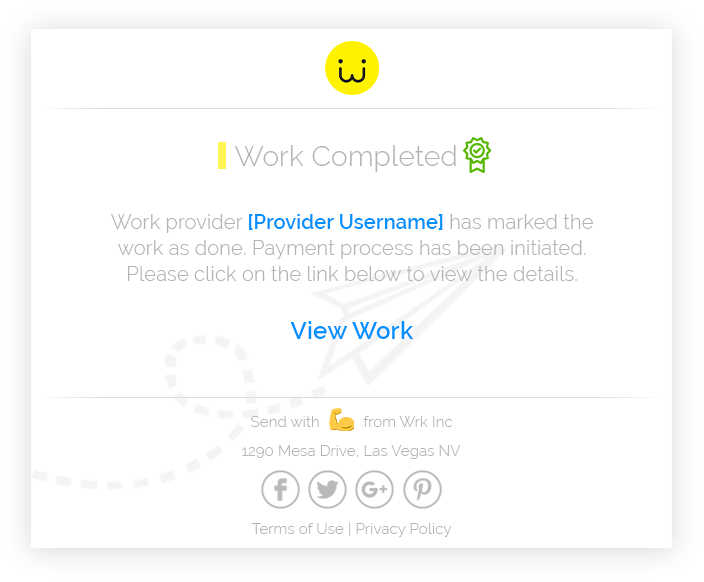
1.You will receive an Email and SMS Notification.
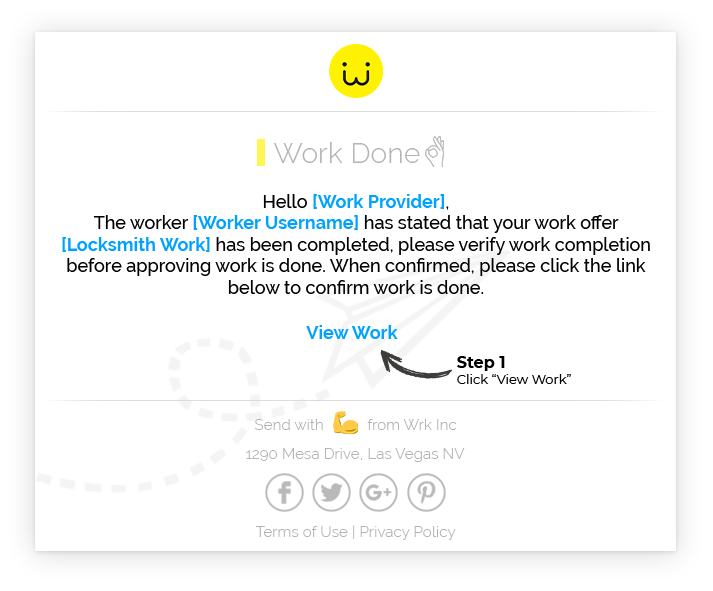
2. After clicking "View Work" you will be redirected to the work offer page, and be greeted with a confirmation popup.
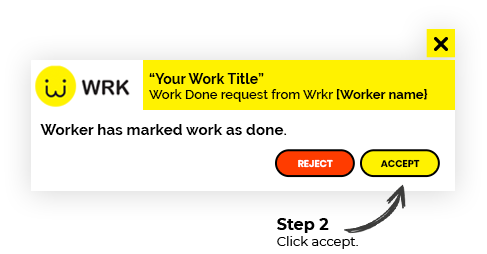
After clicking accept, the process will continue as shown in the beginning of the article.
Worker
-------------
1.Once you press the "Mark Work as Done" button, you will be greeted with the WRK confirmation popup, and you will need to do the following:
3. Once work provider approved or rejected your request you will get notified via Email and SMS.
As long as work provider did not confirmed that work is done, funds are not being released.
After you request is approved the funds for the work will be transfered to your account under Stripe processing times.