
WRK Availabilityfind workers near you
WRK Availability shows you who can do the work before you post it. It opens when you search for workers from the homepage (Workers + LET'S WRK!) or tap a service on the homepage. WRK detects your area and shows how many workers are nearby, in how many fields and ZIP codes, on a live map. Only services that someone near you can actually do are listed.
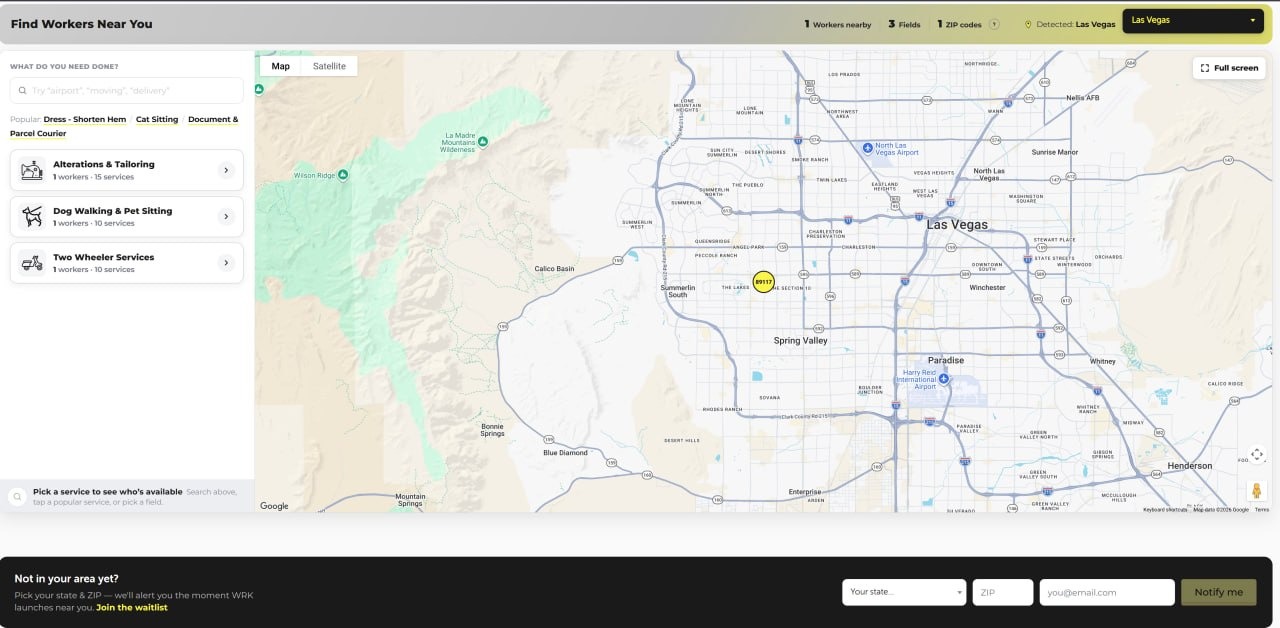
Your area, the fields available near you and the ZIP codes your workers work from.
How it works
- Search for a service, or pick a field and then a service.
- The workers available for it show on the left - their ZIP code is circled on the map, with the distance from you.
- Open a worker to see a quick preview: their fields, reviews, years of experience, services and schedule.
- Click Hire Now to send that worker a personal work offer.
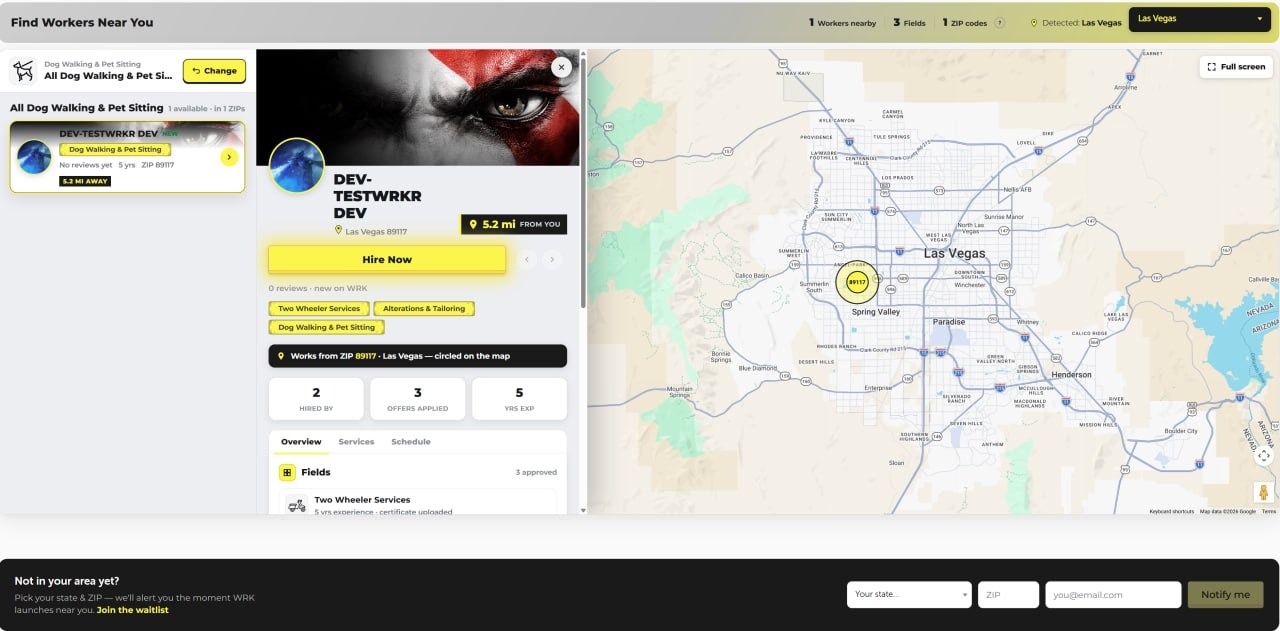
A worker's preview - distance, fields, stats and Hire Now - with their ZIP circled on the map.
Not in your area yet?
Pick your state and ZIP and leave your email under Not in your area yet? - WRK alerts you the moment it launches near you.
Was this article helpful?
0 of 0 found this helpful